Sticker sheet design: laying out stickers that peel and look right
How to design a sheet of stickers: choosing between label sheets and custom polypropylene sheets, how many per sheet, spacing, white ink on clear, lamination and file set-up.
On this page 9 sections
Good sticker sheet design starts with deciding what the sheet is for: a sheet of identical labels for jars and parcels, or a sheet of different designs to sell or give away. That choice decides the product, the number of stickers per sheet, the material and how you lay out the artwork, and getting it right first time saves wasted sheets.
We make two kinds of sheet, and the layout rules differ slightly for each. Custom sticker sheets are printed and finished in our Manchester workshop; the tips below apply to both.
Two kinds of sticker sheet #
| Stickers on a sheet | Custom sticker sheets | |
|---|---|---|
| What it is | Sheets of identical labels in a fixed shape and size | A5, A4 or A3 sheets carrying 10 to 50 stickers of your design |
| Material | Matt or gloss sticker paper | White or transparent polypropylene |
| Shapes | Set sizes: rectangles, squares, circles and ovals from 25 × 51 mm up to 94 × 140 mm | Your layout on the sheet |
| Extras | None needed | Lamination, selective white ink, mirrored printing |
| Best for | Product labels, seals, address labels | Sticker packs, merchandise, giveaways, labels that need to be tough |
For simple repeating labels, stickers on a sheet is quicker and needs very little design. For a designed sheet of stickers, custom sticker sheets give you far more control.
Sticker sheet design for identical labels #
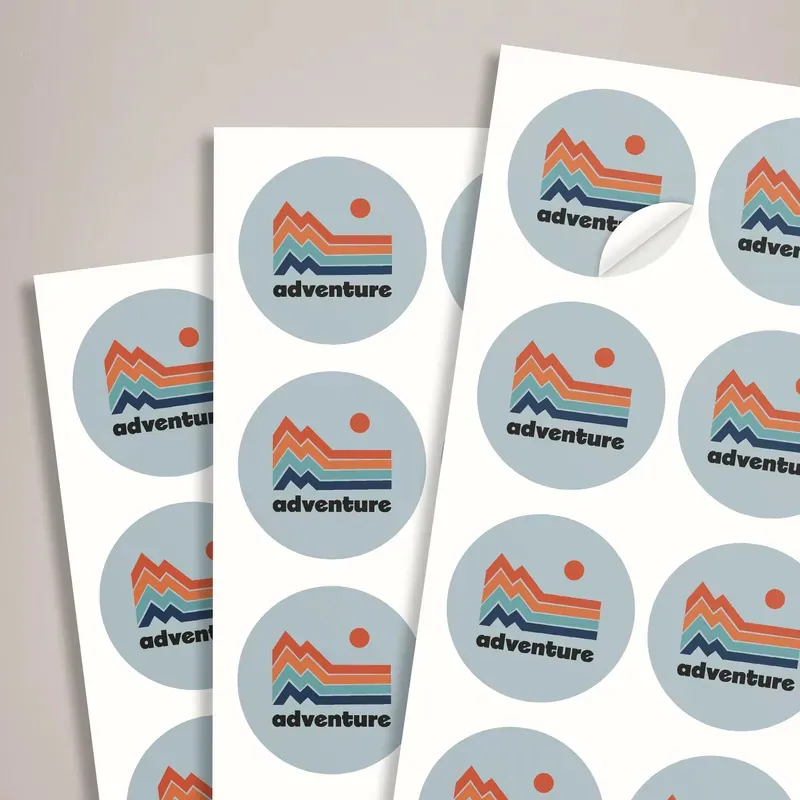
With stickers on a sheet, you design one label and it repeats across the sheet. Pick the label size first, based on what it goes on: measure the flat area of the jar, box or bag. Then design at that exact size with bleed round the edge.
- Keep text at least 2 to 3 mm inside the edge of each label.
- Circles and ovals lose their corners, so check that nothing important sits where a rectangle’s corner would be.
- Small labels need very few words: a name, one line, perhaps a web address.
Our guide to paper or polypropylene labels helps if you are unsure which material suits the product.
Sticker sheet design for custom sheets #
Custom sheets are where layout really matters. You choose the sheet size (A5, A4 or A3, portrait or landscape) and the number of stickers on each sheet (10, 20, 30, 40 or 50).
1. Plan the grid first
Divide the sheet into the number of stickers you have chosen, leaving a margin round the sheet and a gap between stickers. Even gaps make the sheet look tidy and make each sticker easier to peel.
2. Keep sizes consistent
Work out the usable size of each sticker from the grid before you design anything, and design every sticker to fit its cell.
Mixed sizes can work on a merchandise sheet, but keep them in proportion and line them up to the grid. A random scatter looks accidental.
3. Give each sticker room
Leave a clear gap between neighbouring stickers and keep every sticker’s important content well inside its own edge. Crowded sheets are hard to peel and look cramped.
4. Mark the cut lines clearly
Supply your cut outlines on a separate layer or as a clearly named spot colour, following our artwork guidelines. Simple shapes (circles, rounded rectangles, gentle outlines) cut cleanly; very spiky outlines and tiny gaps do not.
Clear stickers and white ink #
On transparent polypropylene there is no white; colours print over whatever the sticker is stuck to, so they look darker and lighter areas almost disappear on dark surfaces. Choose selective white printing to lay white under the parts of the design that need to stay bright and solid. Supply the white as a separate layer showing exactly where it goes.
Mirrored printing is for clear stickers stuck on the inside of glass and read from outside, such as a shop or car window. Choose the mirrored option and the design is printed reversed, so it reads the right way round through the glass. Say in your order notes if your file is already reversed.
Sticker sheet design for merchandise packs #
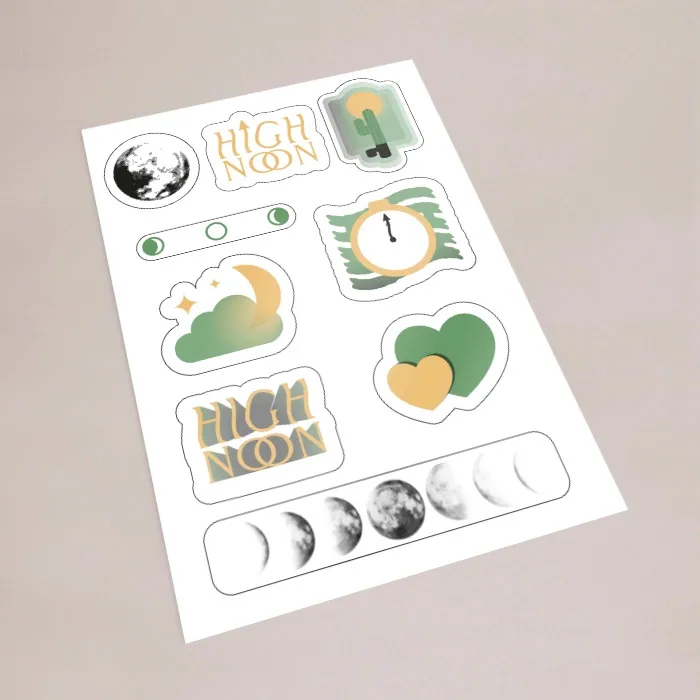
If you sell sticker sheets, or give them away with orders, the sheet itself is the product. A few things make it look finished:
- A theme. One style, one colour palette, one subject. A sheet of unrelated designs looks like offcuts.
- A hero sticker. One larger sticker gives the sheet a focal point; the smaller ones fill in around it.
- Your name on the sheet. A small logo or web address in the margin, outside the cut lines, reminds people where it came from.
- Balanced spacing. Step back and look at the sheet as a whole. Big empty patches or crammed corners are obvious once printed.
Good sticker sheet design for merchandise usually lands on 10 to 20 stickers on an A5 or A4 sheet. That gives each sticker enough size to be worth peeling.
Check at actual size #
Print your layout at 100% on an office printer before you order and cut a couple of stickers out with scissors. You will see straight away whether the text is readable, whether the gaps are big enough and whether the sticker sizes suit what they will be stuck on. It is the cheapest test in sticker sheet design and catches most problems.
Lamination #
Custom sheets can be finished with gloss, matt or soft touch lamination, or an anti-scratch varnish. Lamination protects the print from scuffs, moisture and handling, which matters for stickers on laptops, water bottles and packaging that gets handled. Gloss makes colours pop; matt reduces glare and feels more premium; soft touch has a velvety feel.
Common sticker sheet design mistakes #
- Text too close to the cut line, so it is trimmed.
- Cut lines drawn as part of the artwork rather than a separate layer.
- Pale colours on clear stickers without white underneath.
- Too many stickers for the sheet size, so each one is tiny.
- Artwork, characters or logos you do not have the rights to. The government’s guide to intellectual property explains why that matters if you sell the stickers.
Ordering and checking #
Custom sticker sheets are priced per quantity of sheets, from 25 up to 2000, with the price updating live as you change the options. Every uploaded file gets a free file check by a person for resolution, bleed and cut lines before printing. If you want a set of different labels rather than a designed sheet, see our sticker sheets and labels range.
UK mainland delivery is £7.95 per order and free when your goods total is £99 or more after discount codes.